 Tagesgeld-Konto.net Tagesgeld-Konto.net — Ein mächtiger Strom beginnt oft mit einer beständigen Quelle, doch erst die intelligente Kanalisierung der gewaltigen.
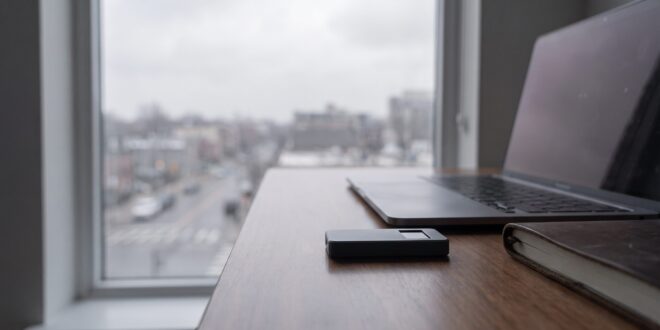
Bitbox02 Experiences: Understanding Security for Your Cryptocurrencies
Just as an experienced gardener protects their most valuable plants from pests and unfavorable weather conditions, investors must also secure their digital assets against the various threats in cyberspace. In the dynamic ecosystem of cryptocurrencies, the security of your investments is of utmost importance. Many investors in Europe, particularly in Germany and Austria, face the challenge of safely storing their Bitcoins and Altcoins without sacrificing high user-friendliness. This is where specialized hardware wallets come into play, creating a physical barrier between your private keys and potential attackers. Our Bitbox02 experiences show that this device represents a robust solution for the secure storage of cryptocurrencies, suitable for both beginners and advanced users.
The necessity of secure storage often becomes apparent only when an incident occurs. However, preventive protection is crucial. A hardware wallet like the Bitbox02 offers offline storage of your private keys, making it immune to online hacks and malware. We have extensively tested the Bitbox02, examining aspects such as installation, daily use, and security features. The goal was to provide a comprehensive picture of this hardware wallet and deliver informed Bitbox02 experiences that assist you in your decision-making. Investing in such a security solution is an investment in the long-term protection of your capital in the realm of digital assets.
The Bitbox02 in Detail: Features and First Steps
The Bitbox02, developed by Shift Crypto, is one of the leading hardware wallets on the market, specifically designed for the secure storage of cryptocurrencies. Its operation is based on the principle of cold storage, where the private keys that enable access to your cryptocurrencies are generated and stored offline. This significantly minimizes the risk of theft from online attacks. Our Bitbox02 experiences often begin with unpacking the device, which is characterized by minimalist yet high-quality craftsmanship. The delivery usually includes only the essentials: the Bitbox02 itself, a USB-C to USB-A adapter, and a microSD card for backups.
Setting up the Bitbox02 is surprisingly straightforward. After connecting it to the computer and installing the BitboxApp, the software guides the user step by step through the initialization process. This includes generating a new wallet, setting up a device password, and creating a backup on the included microSD card. This backup is crucial, as it allows for the recovery of your cryptocurrencies in case of loss or damage to the device. It is important to store the backup in a secure physical location. The Bitbox02 software supports a variety of cryptocurrencies, including Bitcoin, Ethereum, Litecoin, and many ERC-20 tokens, making it a versatile option for crypto investors.
Comparing the Bitbox02 with Other Hardware Wallets
To truly understand the strengths of the Bitbox02, it is helpful to consider it in the context of other leading hardware wallets. We compared the Bitbox02 with its competitors to provide a clear picture of its positioning in the market. We focus on key factors such as security, user-friendliness, supported cryptocurrencies, and price. The following table summarizes our Bitbox02 experiences compared to two other popular models.
| Feature | Bitbox02 (Bitcoin-only/Multi-Coin) | Ledger Nano X | Trezor Model T |
|---|---|---|---|
| Security Chip | AESEAL (secure element) | CC EAL5+ | No Secure Element (Open Source Firmware) |
| User-Friendliness | Very high, touch sensors, clear app | High, Bluetooth, app integration | Medium, touchscreen, more complex setup |
| Supported Cryptos | Bitcoin-only or approx. 1500+ (Multi-Coin) | Over 5500+ | Over 9000+ |
| Backup Method | microSD card | Seed phrase (24 words) | Seed phrase (12/24 words) |
| Price (approx.) | 109 – 119 EUR | 149 EUR | 179 EUR |
| Special Features | Bitcoin-only firmware, made in Switzerland | Bluetooth connectivity, larger storage | Large touchscreen, FIDO2 support |
As the table shows, the Bitbox02 excels with a robust security chip and particularly easy handling, ensured by the capacitive touch sensors and the intuitive BitboxApp. The ability to choose between a Bitcoin-only firmware and a multi-coin firmware is a unique advantage that specifically appeals to Bitcoin purists and provides additional security by minimizing the attack surface. The microSD card backup method is perceived by many users as simpler and less error-prone than manually writing down a seed phrase. These Bitbox02 experiences highlight the strengths of the device.
Common Misunderstandings When Using Hardware Wallets
Despite the increasing acceptance of cryptocurrencies and the associated security solutions, there are still some common misunderstandings that can prevent investors from optimally protecting their digital assets. We would like to clarify some of these misconceptions that we repeatedly observe in our Bitbox02 experiences and in discussions with the crypto community. A clear understanding of these points is essential for safely navigating the crypto space.
Misunderstanding 1: A hardware wallet stores my cryptocurrencies
This is a fundamental misconception. A hardware wallet like the Bitbox02 does not store your actual cryptocurrencies. Cryptocurrencies exist solely on the blockchain. What a hardware wallet stores are the private keys that allow you to access your cryptocurrencies on the blockchain. It is like the key to a safe deposit box – the key is not the money, but without it, you cannot access your money. So when you send Bitcoins to your Bitbox02, they are not physically stored on the device; rather, the transaction is signed, and control over those Bitcoins is transferred to the address secured by the private key on your Bitbox02. This is an important aspect to consider in all Bitbox02 experiences.
Misunderstanding 2: A backup is only important in case of device loss
While the loss or defect of the device is a common reason for the need for a backup, it is not the only one. A properly created and securely stored backup of your seed phrase or the microSD card (in the case of the Bitbox02) is your last line of defense against a variety of issues. These include software bugs, firmware updates that go wrong, or even a physical defect of the device that was not caused by loss. Without a functioning backup, your cryptocurrencies are irretrievably lost, even if the device is still physically present. Our Bitbox02 experiences show that regularly checking the backup integrity is a wise practice.
Misunderstanding 3: Security is guaranteed after purchase
Buying a hardware wallet is an important first step, but it is not a guarantee of absolute security. Security largely depends on proper handling and adherence to best security practices. This includes securely storing the backup in an inaccessible location, choosing a strong device password, and avoiding phishing attacks that attempt to steal your seed phrase or passwords. Regular firmware updates of the device are also important to close known security vulnerabilities. Humans are often the weakest link in the security chain, so personal responsibility when using the Bitbox02 is crucial.
Your Questions about the Bitbox02: Answers from the Expert
Throughout our Bitbox02 experiences, certain questions have repeatedly arisen that are of interest to many potential users. We have collected and answered the most common technical questions to provide you with a comprehensive understanding of the Bitbox02 and to facilitate your decision-making.
Question 1: How does the backup on the microSD card work with the Bitbox02?
The Bitbox02 uses a unique backup method via a microSD card that is included in the package. During the initial setup, an encrypted backup of your wallet information (including your private keys) is stored on this card. This method is particularly user-friendly as it eliminates the need to manually write down a long seed phrase, which can be error-prone. If your Bitbox02 is lost or damaged, you can simply purchase a new Bitbox02 and restore your wallet using the microSD card and your device password. The data on the card is encrypted and useless without your password, providing an additional layer of security. This backup method is a significant advantage in our Bitbox02 experiences.
Question 2: Can the Bitbox02 be used with any computer?
Yes, the Bitbox02 is designed to be cross-platform compatible. It can be used with computers running common operating systems such as Windows, macOS, and Linux. The BitboxApp, which is required to interact with the hardware wallet, is available for all these platforms. It is recommended to always download the BitboxApp directly from the manufacturer’s official website to ensure that you are using the authentic and most up-to-date version and not falling victim to malware or fake apps. The Bitbox02 connects via USB and does not require special drivers, further enhancing compatibility.
Question 3: What is the difference between the Bitbox02 Bitcoin-only and the Multi-Coin version?
The Bitbox02 is offered in two different firmware versions: the “Bitcoin-only” and the “Multi-Coin” edition. The main difference lies in the supported cryptocurrencies and the security approach. The Bitcoin-only version supports, as the name suggests, only Bitcoin. This is often preferred by Bitcoin purists as it minimizes the attack surface of the device and makes the firmware leaner and easier to audit. The Multi-Coin version, on the other hand, supports not only Bitcoin but also Ethereum, Litecoin, and over 1500 other ERC-20 tokens. The hardware of both versions is identical; the difference lies only in the firmware installed. You can also switch from one version to the other if needed, although this involves resetting the device. Our Bitbox02 experiences show that the choice of version depends on your individual investment goals.
Conclusion: Your Secure Crypto Future with the Bitbox02
The Bitbox02 has proven to be an extremely reliable and user-friendly hardware wallet in our comprehensive tests and Bitbox02 experiences. It offers a robust security architecture that effectively protects your private keys from the dangers of the internet, combined with intuitive operation that allows even beginners to access secure crypto storage. The option of microSD card backup and the choice between a Bitcoin-only and a Multi-Coin firmware are unique features that set the Bitbox02 apart from other devices.
For investors looking to securely store their digital assets in the long term, the Bitbox02 is an excellent choice. It not only provides protection against external threats but also offers a high degree of control and sovereignty over your assets. We recommend that you follow these steps to fully leverage the potential of the Bitbox02 and optimally protect your crypto investments:
- Create and store a secure backup: Keep your microSD card with the backup in a physically secure location, ideally separate from the Bitbox02 itself.
- Choose a strong device password: Use a complex and unique password for your Bitbox02 to prevent unauthorized access.
- Perform regular firmware updates: Always keep your Bitbox02 firmware up to date to benefit from the latest security improvements.
- Use official sources: Always purchase your Bitbox02 directly from the manufacturer or authorized dealers to ensure you receive an unaltered device.
- Maintain security awareness: Always be vigilant against phishing attempts and other scams aimed at stealing your private information.
The contents of this article are for informational purposes only and do not constitute investment advice. We always recommend conducting your own research and consulting professional financial advisors if necessary before making investment decisions. The security of your digital assets ultimately lies in your own responsibility.